

I use a product published by DTB Traders that enables me to develop trading strategies for futures in a structured environment. This post will not get into the DTB System offerings, but will highlight one particular strategy template that is available. This article provides a brief overview of the strategy, rather than a comprehensive examination.
The BWT template is one of the most popular templates among the approximately 18 strategy templates available in the system. BWT, short for Baseline Wick Trader, is a versatile template that can be optimized for any futures product. My goal was to optimize this template for users with small accounts who trade the MNQ. I wanted it to trade overnight in the less volatile market. All of this is done within NijaTrader and its Strategy Analyzer module.
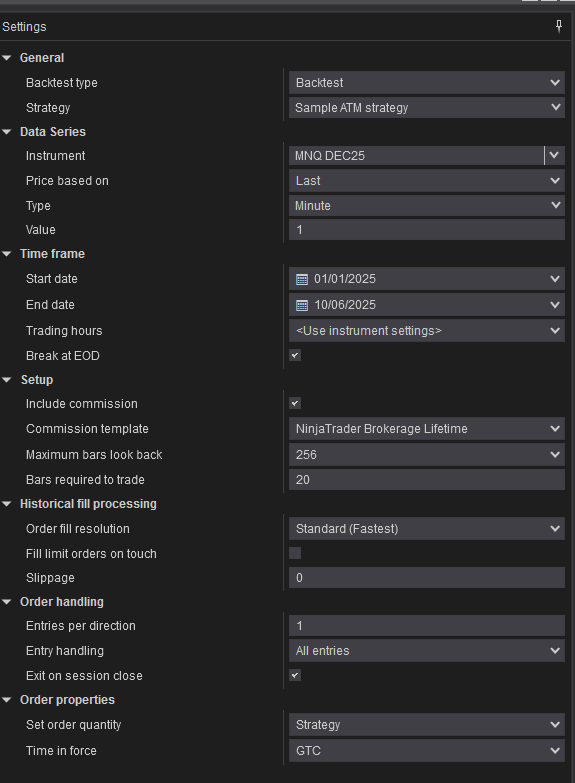
A review of the Strategy Analyzer within NinjaTrader reveals the numerous customization options available. These variables are for the BWT (Baseline Wick Trader) strategy. Each strategy offers different options, but all share the same basic variables.
If you are not familiar with the NinjaTrader Strategy Analyzer, this is the basic setup provided by NinjaTrader. It provides the basics but is far from tradable without some customization. Some options are available by point and click, while more advanced ones require a good understanding of C# and the ability to convert your strategy into C# code.
Loading the Strategy Analyzer for the BWT strategy shows extensive customization choices available. Breaking the strategy into sections, this is page 1 of 3, covering the basics of strategy development.
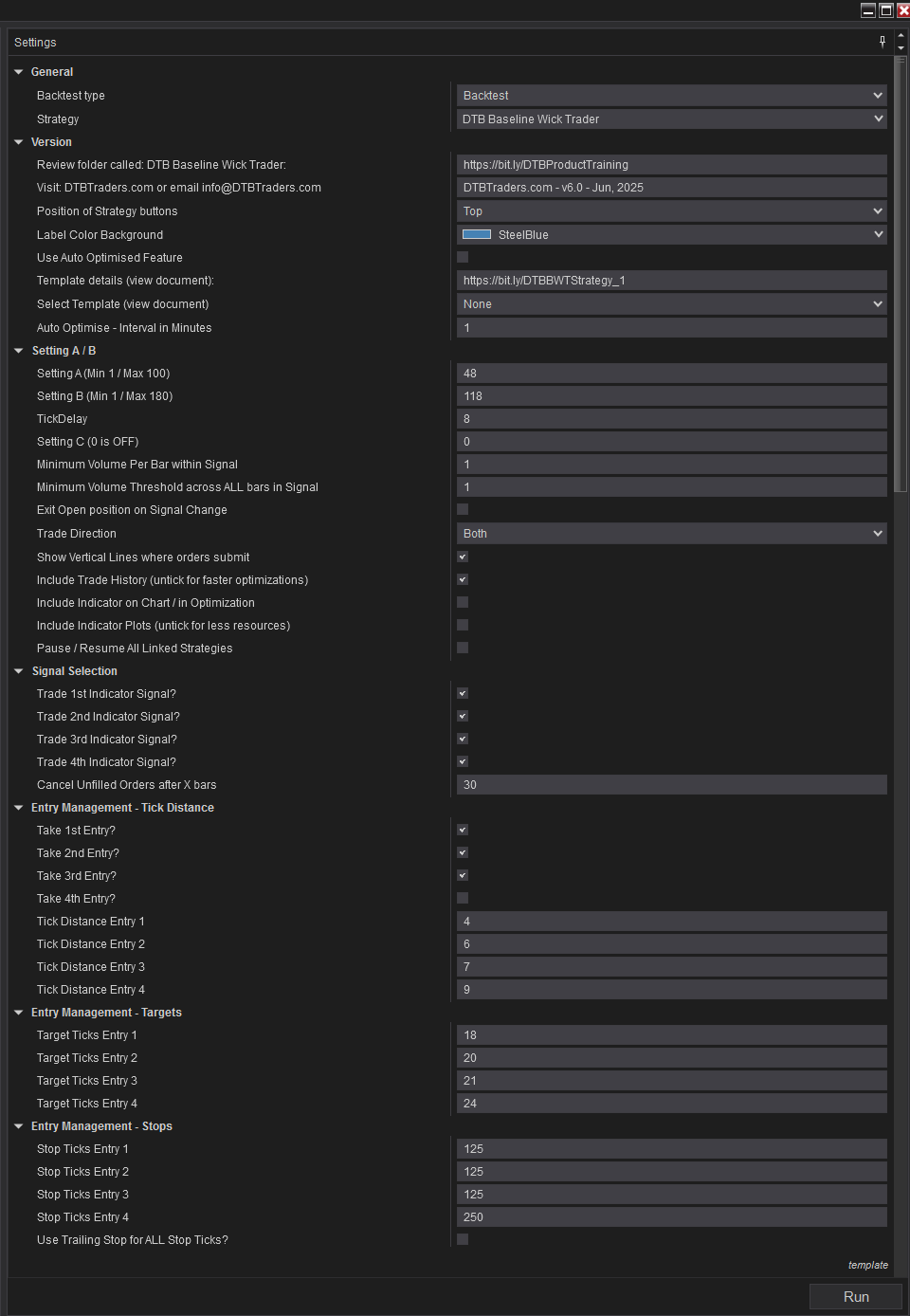
The Strategy Analyzer is broken down into sections as set up by DTB Traders. As you can see in the above image, the DTB Traders Strategy is far more robust than the default. I find it far and above the offerings other ‘developers’ have. I say more robust because strategies are so much more than “above the VWAP, and the EMA crossed the SMA, and volume is increasing”. (I’ve seen that strategy sold at $190 a month). Having gotten my little dig at other developers, I’ve seen, let’s look at the choices here.
The basics remain, with sections titled General and Version. In the following sections, you will find the meat of the system. Settings A/B deserve a complete article and will be glossed over here. They also happen to be the Gold Mine of the whole DTB Traders system. Optimizing those settings to match the appropriate Stops and Targets yields a highly profitable strategy.
The following three sections are Entry Management - Tick Distance, Entry Management - Targets, and Entry Management - Stops. The BWT allows for four signals and four trade entries. Considering this strategy, I’m letting it take all four signals. Of those signals, I only take trades 1, 2, and 3. The tick distance is optimized, taking the first trade four ticks from the signal. The others have been set to the appropriate setting as the optimizer arrived at. The same is true with the Targets and Stops. Each was optimized as a standalone strategy; i.e., I optimized Entry 1 and one unit that optimized the Entry, Target, and Stop as a unit. If you are so inclined, you could also optimize the stops as a trailing stop by selecting the last checkbox shown.
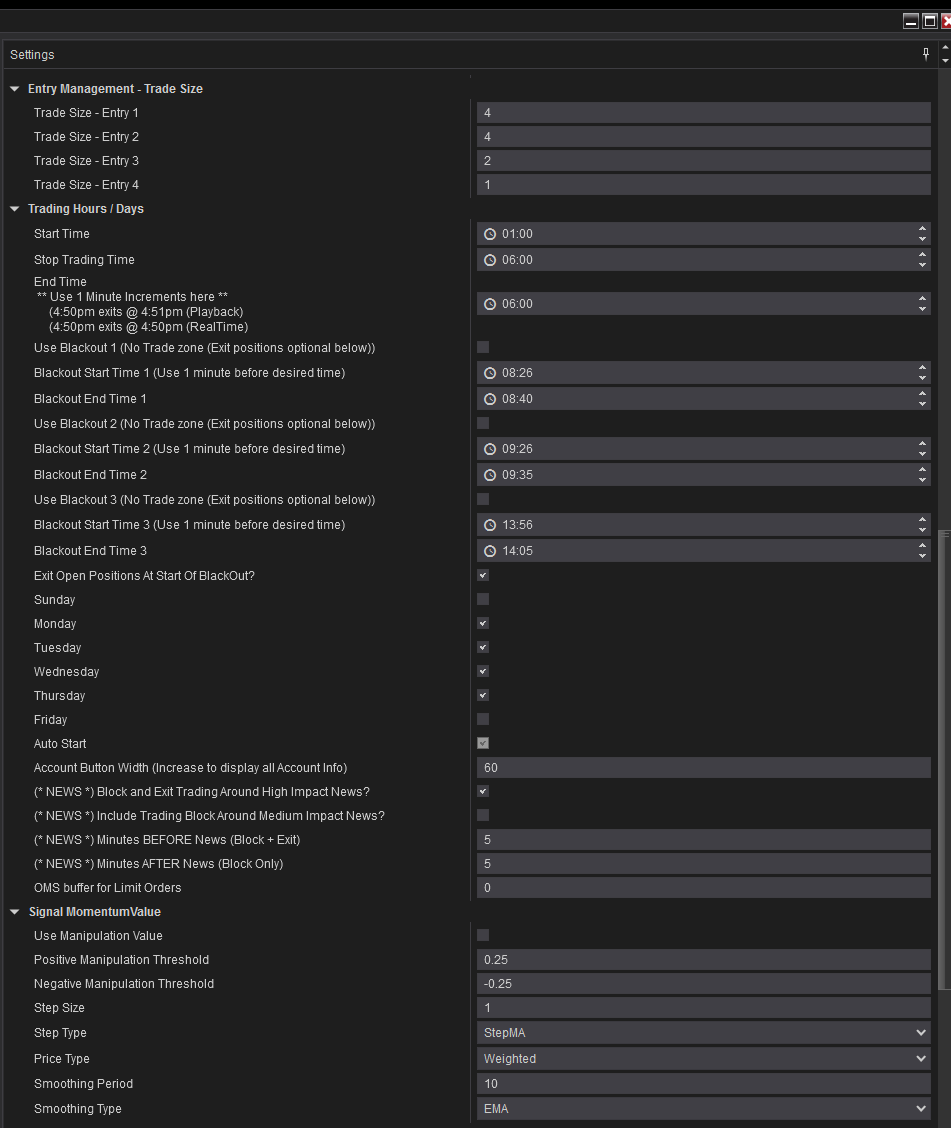
Moving on down the form shows more maturity in the strategy. The Entry Management - Trade Size is just that, where you determine how many contracts you will enter for each of the four entries. In this strategy, I’m taking 4, 4, and 2 for a total of 10 contracts if all three entries are taken. Remember, in the prior selections, I’m only trading entries 1-3.
This is also where you choose your trading timeframe. This strategy trades from 0100 to 0600 EST. Your end time is used to determine when any open trades past the Stop Trading Time will close. I’ve chosen to close everything at 0600.
There are also three Blackout times available, allowing you to stop trading for user-defined periods. You can also close any open trades if you would like.
The NEWS Blocks are a great feature, allowing you to stop trading during High or medium-impact news events and determine how long to halt trading before and after the news. You no longer have to worry about missing news events with these selections. A great option when trading some Prop Firm accounts.
Moving on down, we run into the Signal Momentum. Beginners, don’t bother, the system is preset for the optimum value. More experienced traders can utilize the weighting of EMAs or SMAs.
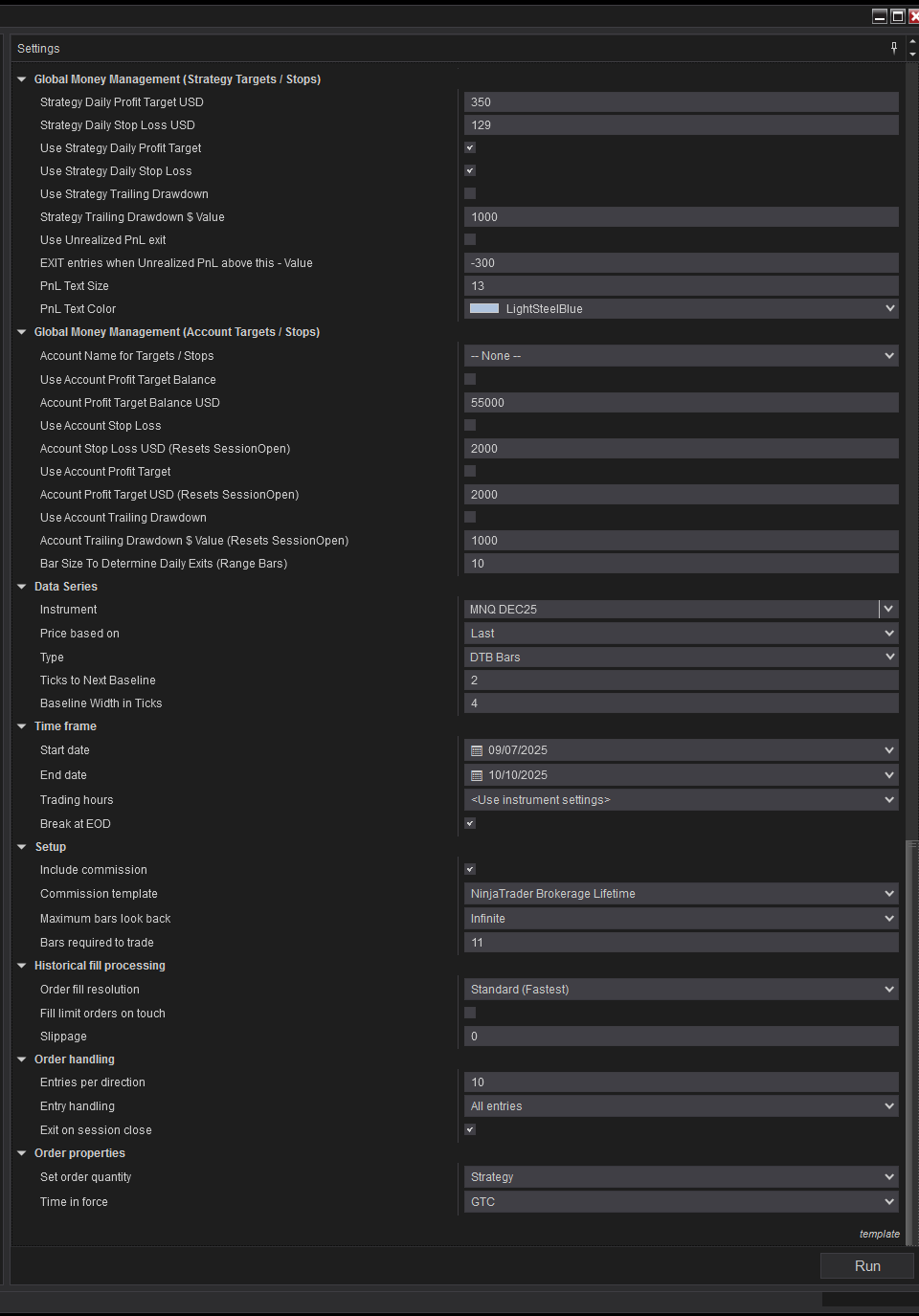
The final section of the Strategy Analyzer for the BWT strategy moves to the Global Money Management. This is where your trading account settings are configured for loss management. Your maximum profit or loss, whether or not you want a trailing drawdown for the account, or add an unrealized PNL stop. It’s incredibly versatile for most trading styles. You can configure these for both the strategy and the account.
The remaining are self-explanatory. The data series you are using, the timeframe of the backtest, the commission choices, and your order handling.
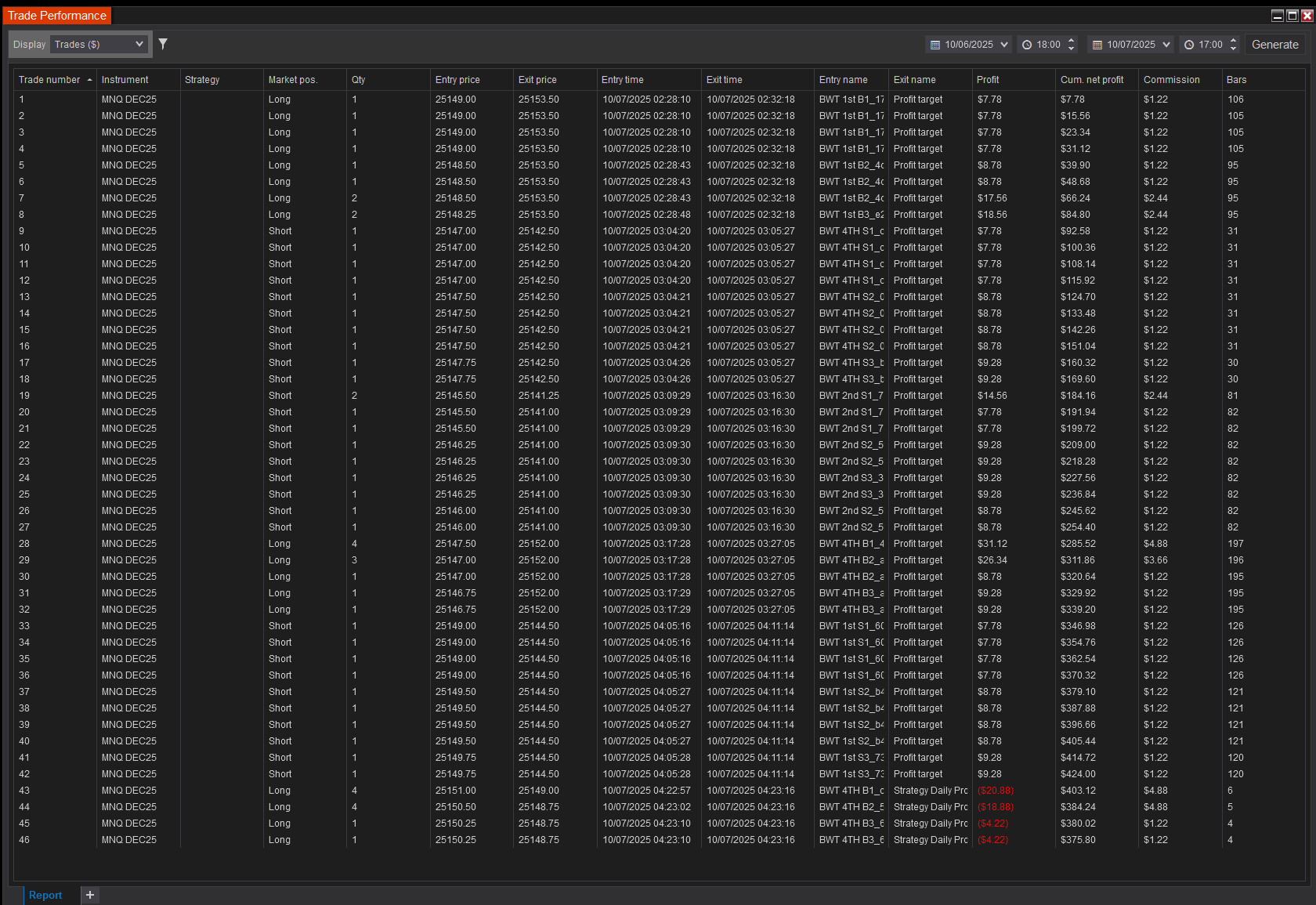
This was a strategy I optimized last evening (October 6th, 2025) and ran overnight. Pleased with the results, I will be copy trading for the remainder of the week to my PropFirm accounts.
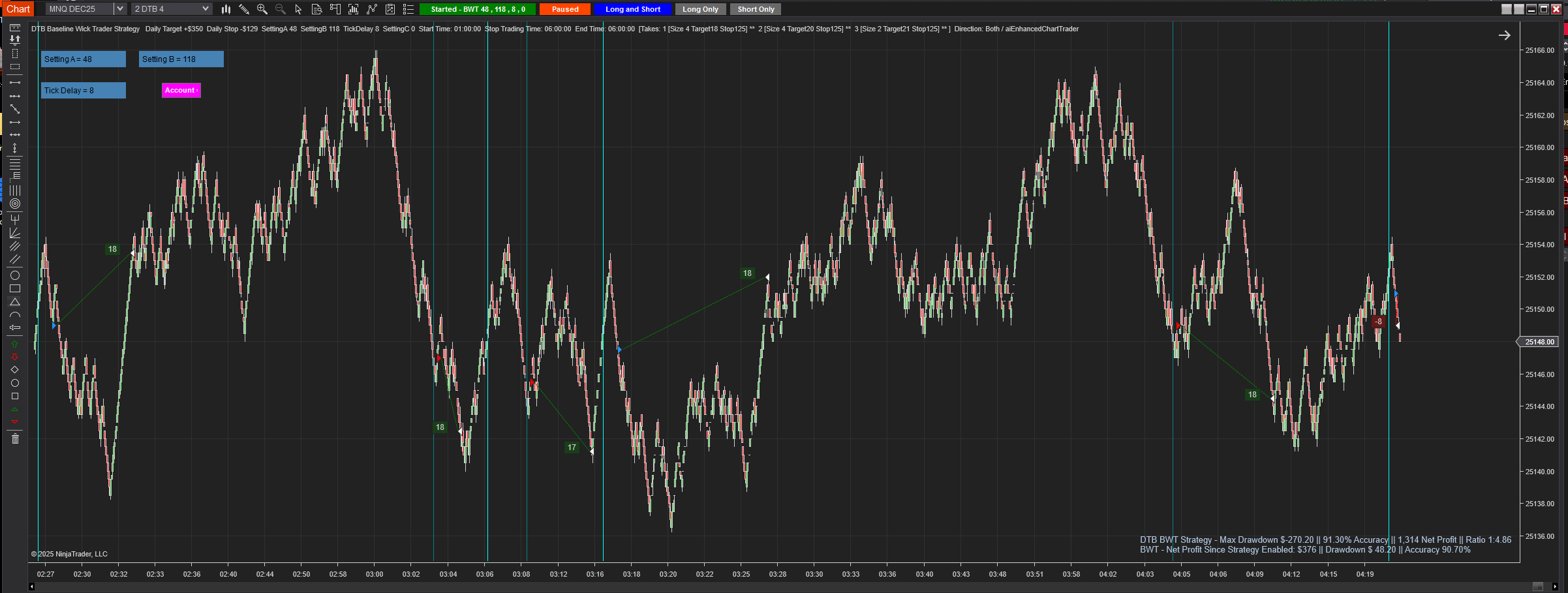
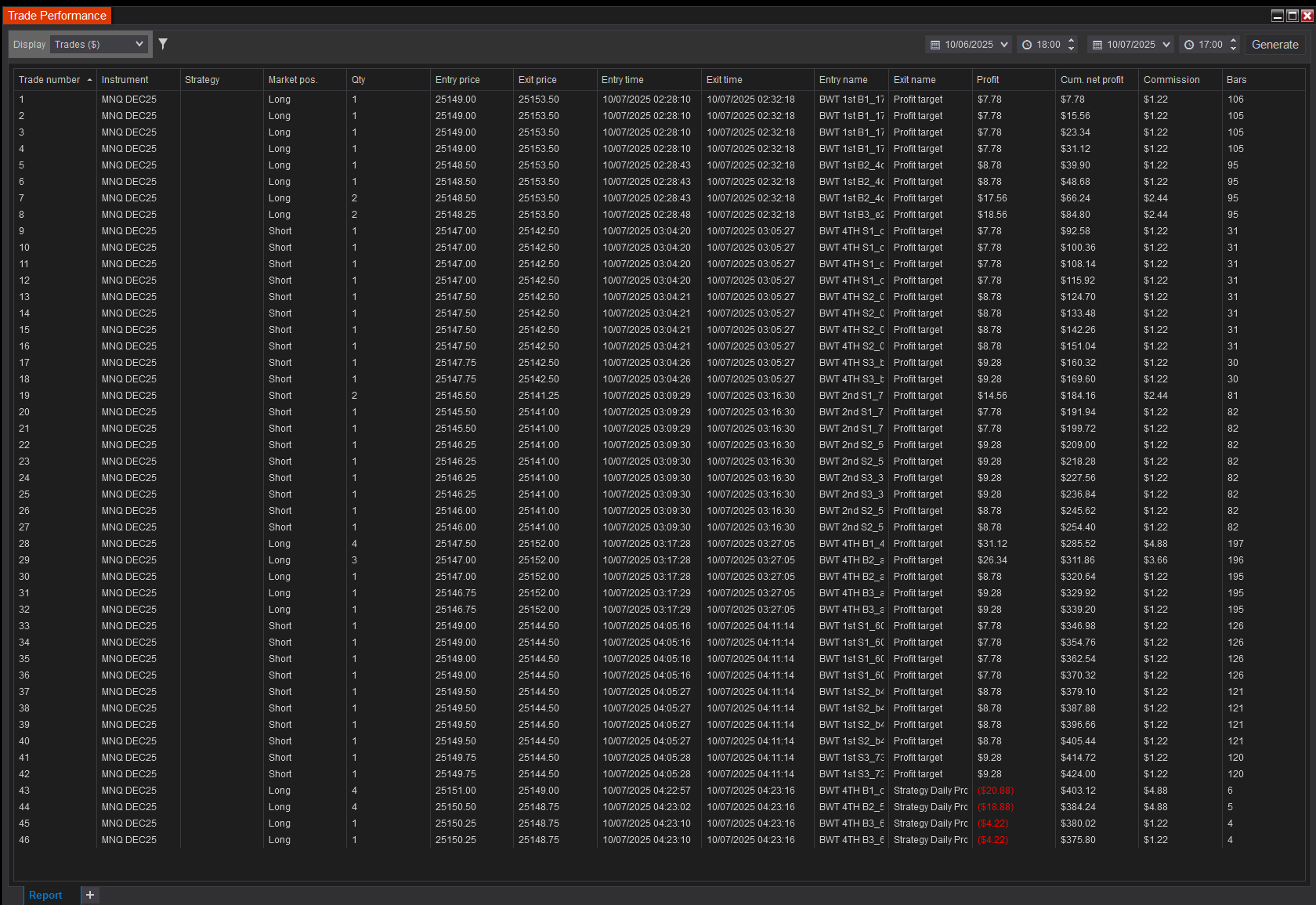
Anytime a strategy exits on Maxium Daily Profit, it’s worth keeping around.
If you are interested in learning more about this system, you can visit DTB Traders at their website or their Discord Server.
Feel free to follow me here at My Substack or find me on X.