

These indicators display Time, Ticks, and Volume in three separate rows in a box format, with each box displaying an individual unit of measure along the row. As shown in Figure 1 The three indicators are normally used as a set, stacked in rows. The first row is time, the second is Ticks, and the third is Volume.

They are simple indicators providing substantial information in one location. Reading the indicator is straightforward.
The top row in Figure 1 is the DTB Trend =Min. It consists of 12 boxes, each representing a different timeframe. Only boxes nine and ten can be altered. The labels for each box indicate minutes. Each box is a typical timeframe on bar charts, such as 1, 2, 3, 5, etc. Reading this, the past one would be down. The two-minute trend is still green on the chart. All other time-frame trends are red. The last two boxes are also red, indicating the day trend is red, and the lookback is red.
The second row in Figure 1 is the DTB Trend = Tick. It’s like the first row, but it measures ticks. Again, the measurements align well with a typical bar chart measurement if using a Tick chart. In this example, the last 10, 20, 30, 50, and 100 ticks are in an uptrend; beyond that, the ticks are in a downtrend.
Like the first two rows, row three covers Volume. The indicators section reads DTB Trend = Volume. You are shown what has happened in the volume time frames using the typical volume units you find in a volume chart.
The indicators are set up uniformly across the three. All the properties are the same except Box Parameters. Under Setup / Label, each name represents the proper title.
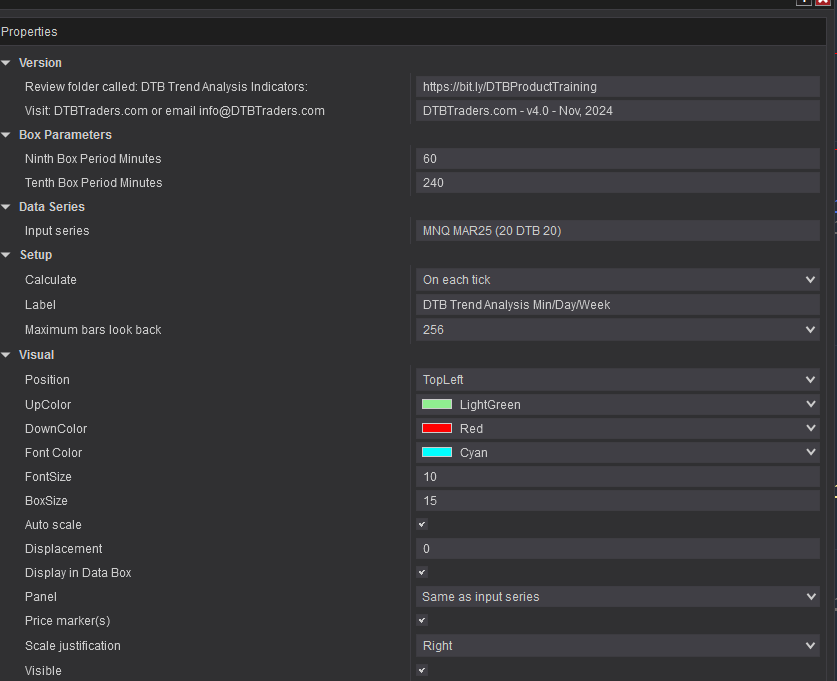


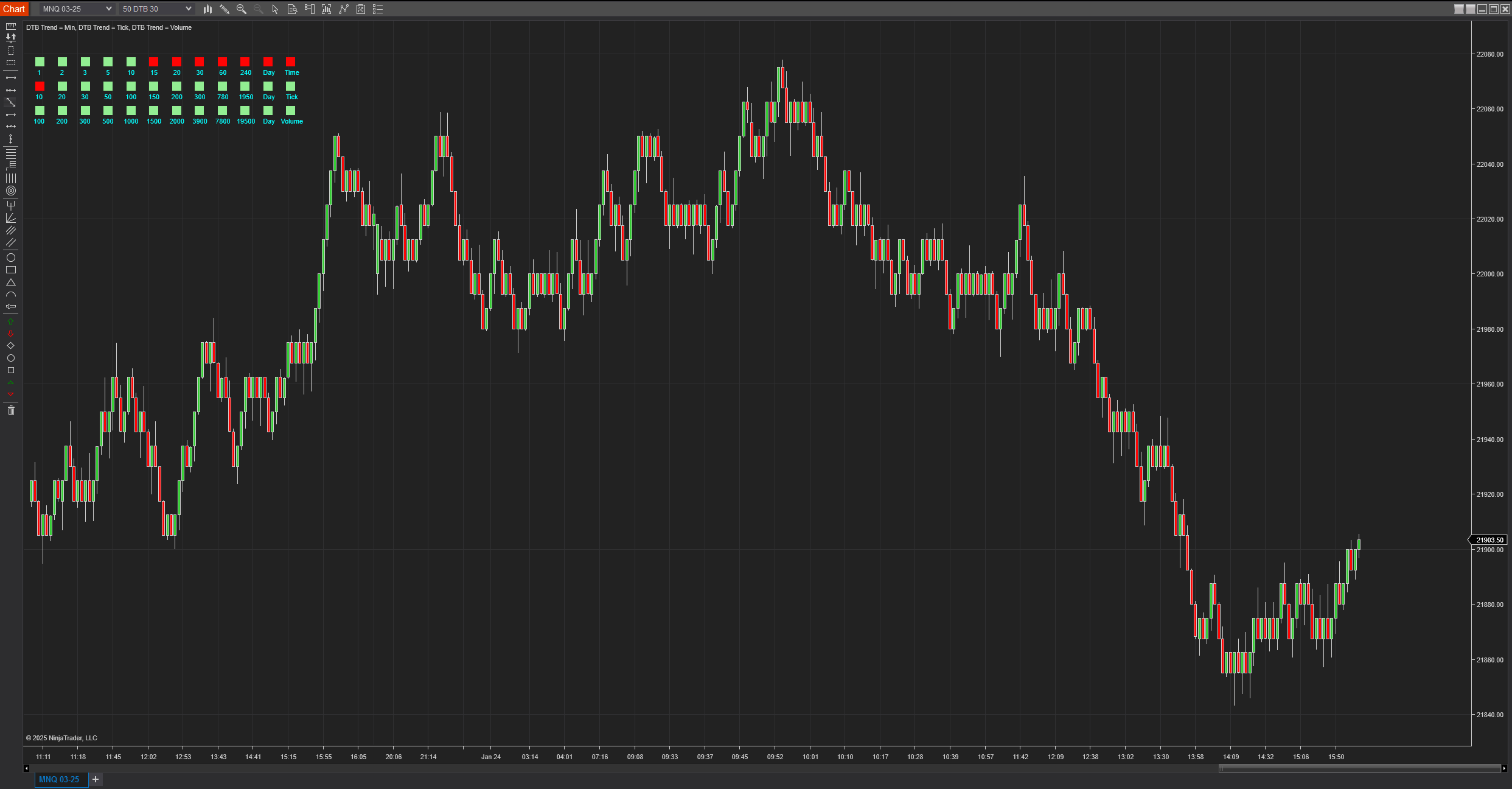
The indicator on the chart is set up as default. It’s a simple indicator that provides considerable information at a glance.
When trading, I use indicators provided by DTB Traders. They offer a complete trading system, customizable strategies, and a community of like-minded traders. Check them out for a couple of free indicators. Tell them I sent you.